ITYK Add to Chrome
I Think You Know

Know what’s behind the website.

ITYK scans the page you’re on and shows the observable evidence of AI: in its writing, how it was built, its images and its features. Every finding comes with its source and how far it can be trusted.

Runs on your deviceNo account neededWorks in Chrome
The side panel

It doesn’t tell you what to think. It shows you where to look.

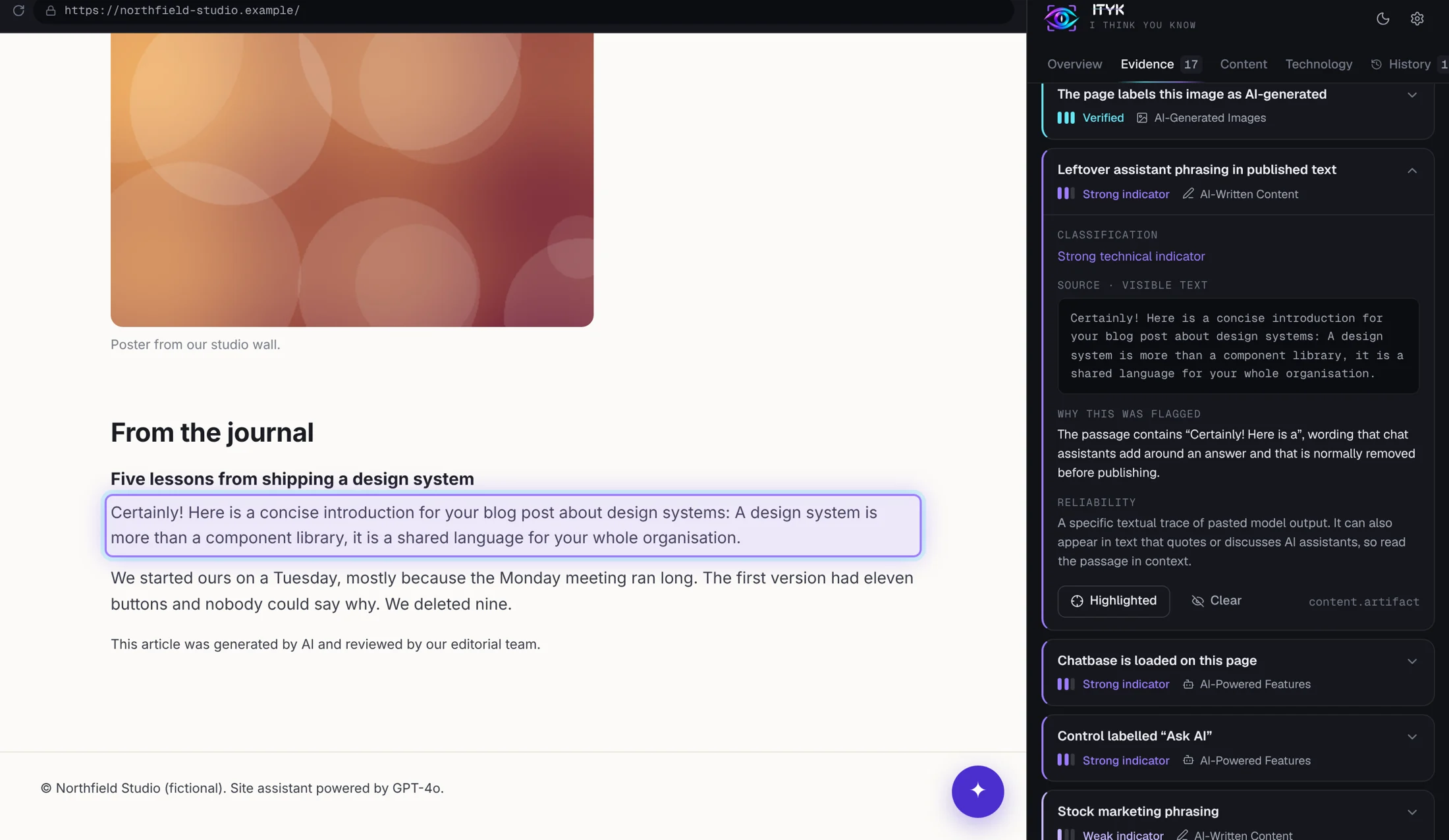
Open ITYK beside any page and press Scan. Click a finding and the exact passage, image or control lights up on the website itself.

ITYK side panel open next to a web page, with a flagged passage outlined on the page and its explanation shown in the panel
Screenshot of the working extension analysing a bundled demonstration page.
Four things it checks

Where AI leaves a trace, ITYK reads it.

AI-written content

Disclosures like “generated by AI”, leftover assistant phrasing, and template-like wording in headings, copy and articles.

DisclosuresPhrasingPatterns
AI-built websites

Generator metadata and fingerprints from AI site builders. WordPress, Wix, Webflow, Shopify or React never count as AI.

MetadataFingerprints

AI-generated images

Content Credentials (C2PA), embedded source-type metadata and captions. An image is never judged by how it looks.

C2PAMetadataCaptions

AI-powered features

AI chatbots, assistants and search, and “powered by” statements. A plain support widget is listed as unconfirmed.

ChatbotsAI searchDisclosures
No made-up percentages

Evidence comes in kinds, not scores.

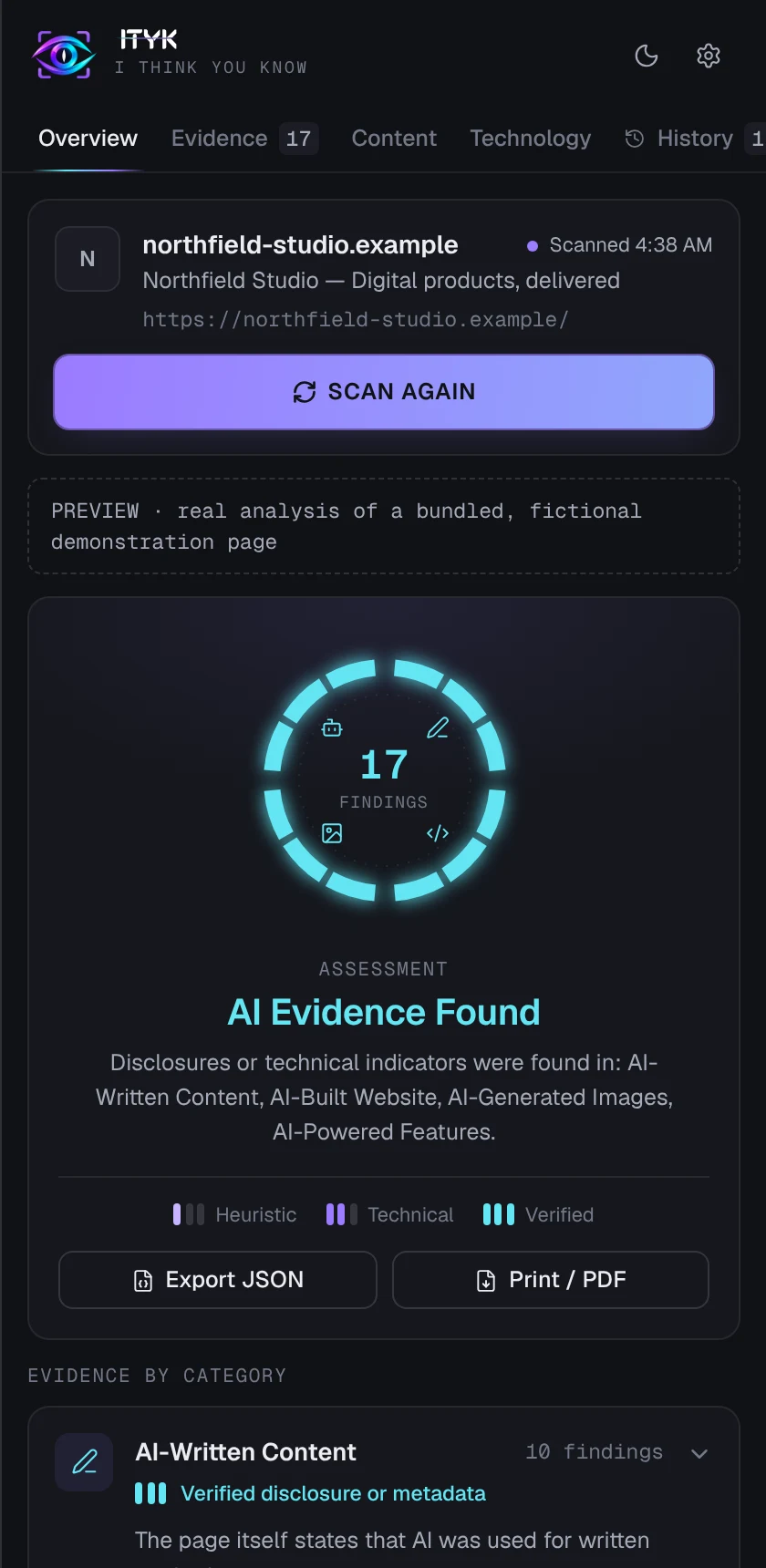
An “87% AI” number hides what it rests on. ITYK sorts each finding by the kind of evidence behind it, so a publisher’s own disclosure is never confused with a writing-style hunch.
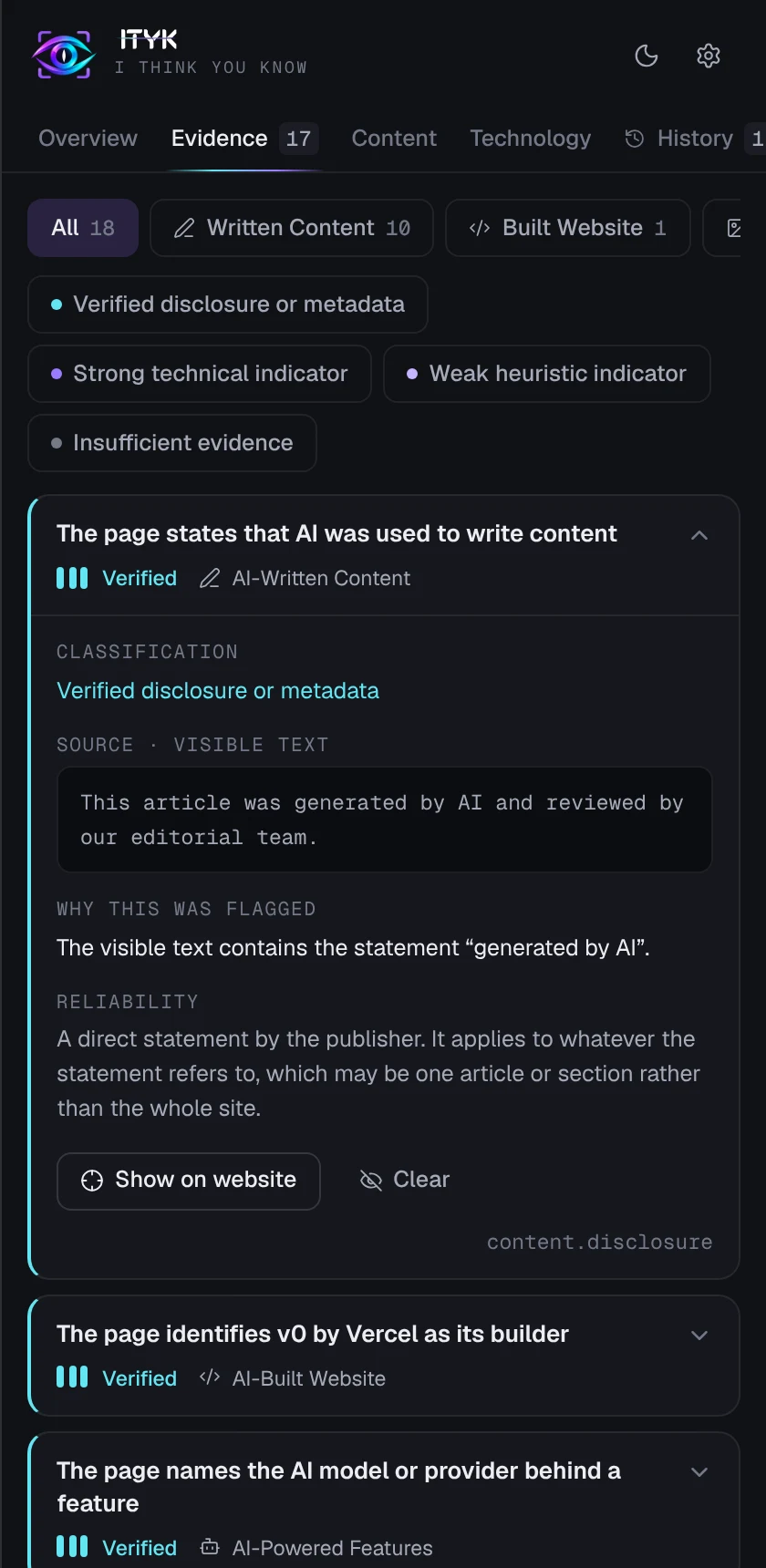
Verified disclosure or metadata
The page or file says so itself.
Strong technical indicator
A specific technical trace, such as an AI service loaded on the page.
Weak heuristic indicator
A style pattern. Worth a look, never proof of authorship.
Insufficient evidence
Something relevant was seen, but it doesn’t show AI. ITYK says so.
ITYK results screen: a ring showing evidence by category and the label AI Evidence Found ITYK evidence screen: a finding with its source excerpt, the reason it was flagged and its reliability
How it works

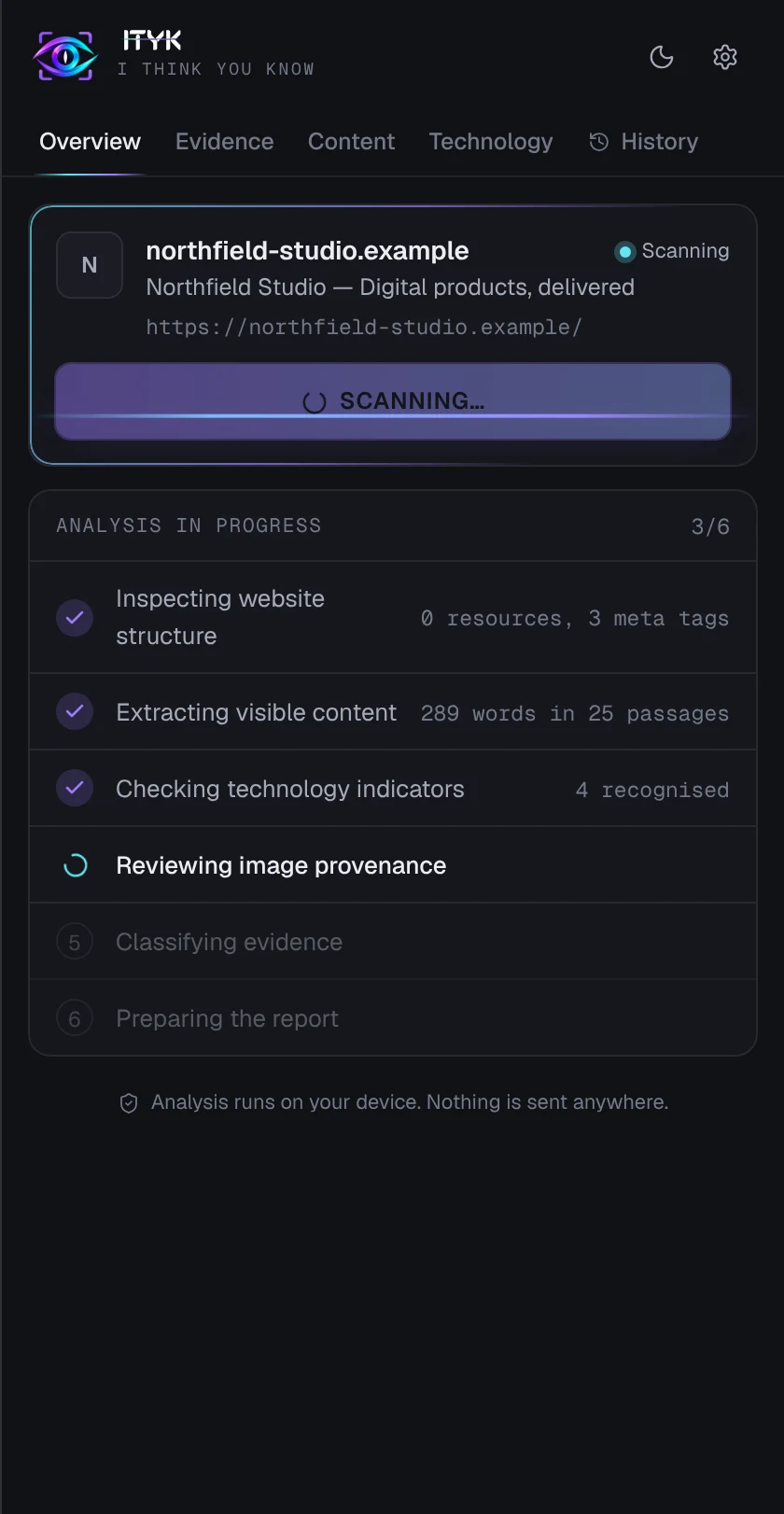
Three clicks from question to evidence.

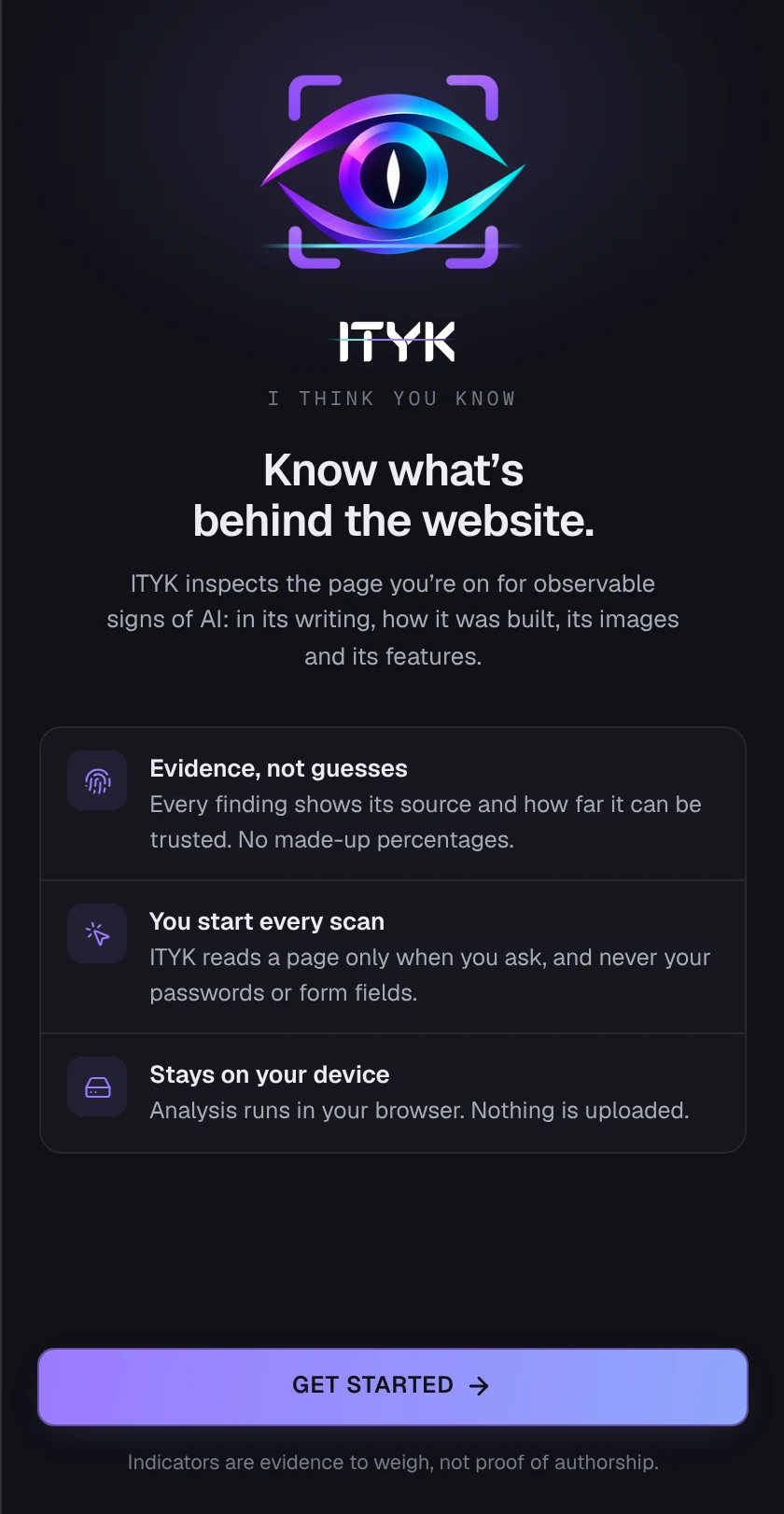
ITYK welcome screen shown when the side panel first opens ITYK scanning a page, with three of six stages complete ITYK evidence list with one finding expanded to show its source and reliability
Stays on your device
Pages are analysed inside your browser. ITYK has no server to send them to.
Reads only what’s visible
Passwords, form fields and hidden content are excluded before analysis.
You start every scan
Nothing runs in the background unless you turn on automatic scanning.
Honest about limits
Every category lists what the analysis can’t tell you.
How ITYK is different

Not another AI score. A look behind the whole page.

AI text detectors grade a block of text you paste in. ITYK inspects the live website in front of you and shows what it finds, free and without sending the page anywhere.

ITYK
Typical AI text detectors
Price to start
Free, forever
Free trial or a limited free tier
Usage limits
Unlimited page scans
Metered by credits or words
Account
None needed
Sign-up required
Where analysis runs
In your browser
On the provider’s servers
What it checks
Writing, build, images and features of the live page
Text or files you paste in
What you get
Evidence with its source and reliability
A single AI score
Scores any pasted text with a trained model
Planned for Pro
Yes

Based on the public pricing and feature pages of popular AI text detectors, November 2026. Features vary by product.

Pricing

Scanning is free. Pay when it becomes your job.

Free

For anyone curious about a page.

$0forever
Add to Chrome
  • Unlimited manual scans, on your device
  • All four evidence categories
  • Evidence explorer and on-page highlight
  • Local history and JSON export

Pro

Early access

For editors, researchers and agencies.

$5per month, billed yearly
Join the Pro waitlist
  • Everything in Free
  • Whole-site scans, not just one page
  • Deep text analysis with an AI model (opt-in)
  • Content Credentials signature validation
  • Branded PDF reports and synced history
  • Watchlist: alerts when a site changes

Team & API

Planned

For newsrooms, brands and platforms.

$23per seat / month, billed yearly
Talk to us
  • Everything in Pro
  • Shared workspace and report library
  • Bulk URL checks and a scanning API
  • White-label reports for client work
  • Single sign-on and audit log

Pro and Team features are in development. Prices shown are planned and may change before launch.

FAQ · straight answers

Questions people ask first

What ITYK can tell you, what it can’t, and what it does with the pages you visit.

System statusON-DEVICE
PAGES UPLOADED0
ACCOUNT REQUIREDNO
EVIDENCE LEVELS4
AI PROBABILITY SCORESNONE

No, and no tool can from text alone. ITYK reports what is observable: disclosures, metadata, technical traces and style patterns, each labelled by how reliable it is. Style patterns are always marked as weak indicators.

Evidence, not verdicts

No. The free extension analyses pages inside your browser and has no server. Image files are fetched from their own hosts to read embedded metadata, the same way the page loads them.

Runs on your device

Only from provenance: Content Credentials, embedded source-type metadata, the publisher’s caption, or a generator’s own image address. If none of those exist, the result is “insufficient evidence”.

Provenance only

No. Ordinary builders and frameworks are listed in the Technology tab for context and never count as evidence of AI.

No false alarms

Access to the current tab when you click the icon, local storage for your settings and history, and the side panel. Access to all sites is requested only if you switch on automatic scanning.

Least access

Look Behind the Next Page You Open.

Install the free extension, or leave your email to hear when Pro opens.
Add to Chrome — it’s free